When an ERP implementation needs rescuing, or a Salesforce program runs into trouble, the first instinct is to look at the platform. People ask whether the configuration is wrong, whether the customization has got out of hand, or whether the partner really understood the product. Now and then, one of those is the answer. But in the programs I have seen reach the point of needing a rescue, the platform was rarely where the time went. The time went into the work around it – integrations that nobody scoped properly, a data migration that wouldn’t reconcile, a legacy system with no API, and a synchronization that worked in testing and drifted apart in production.
In this article, I look at ERP project rescue, and Salesforce project rescue, from that angle, and I stay close to the integration and data layer, which is where most of these programs actually stall. For the general warning signs and the overall shape of a rescue, see our guide to software project rescue.
Where the time actually goes
Salesforce partners rarely lose deals on Salesforce, and ERP firms rarely lose them on the ERP. They lose them on the sentence that comes next – the ERP has to stay in sync, the billing platform owns invoicing, the warehouse system has no API, or we have fifteen years of customer records. That work sits next to the platform practice, it’s technically quite different from it, and it’s almost always on the critical path.
It’s also the work that most often gets left until late, because it depends on platform decisions that haven’t been made yet. By the time it starts in earnest, the go-live date has usually been fixed, and the program ends up squeezing its riskiest work into whatever time is left.
Five symptoms and what they usually mean
| What you see | What it usually means | First move |
|---|---|---|
| Go-live keeps moving, but configuration is “nearly done” | Integration and migration were scheduled after the build, and they’re now the critical path | List every interface and migration object with an owner, a status and evidence |
| Test cycles fail on the data, while the functionality holds up | Nobody has rehearsed the migration against full production volumes | Run a full-volume rehearsal and reconcile the results, even if it fails |
| Numbers differ between the CRM and the ERP | No agreed system of record for each object, or no conflict rules for two-way sync | Write down which system owns each object and field before anyone fixes code |
| Interfaces work in test but fail now and then | No idempotency, retry or dead-letter handling, so failures are being rerun by hand | Instrument the interfaces and count the failures before changing anything |
| The client keeps asking for more status meetings | Confidence has gone, before anyone has written that down | Produce one honest status, with evidence, and agree on it with the client |
Adding more platform consultants won’t solve any of these problems.
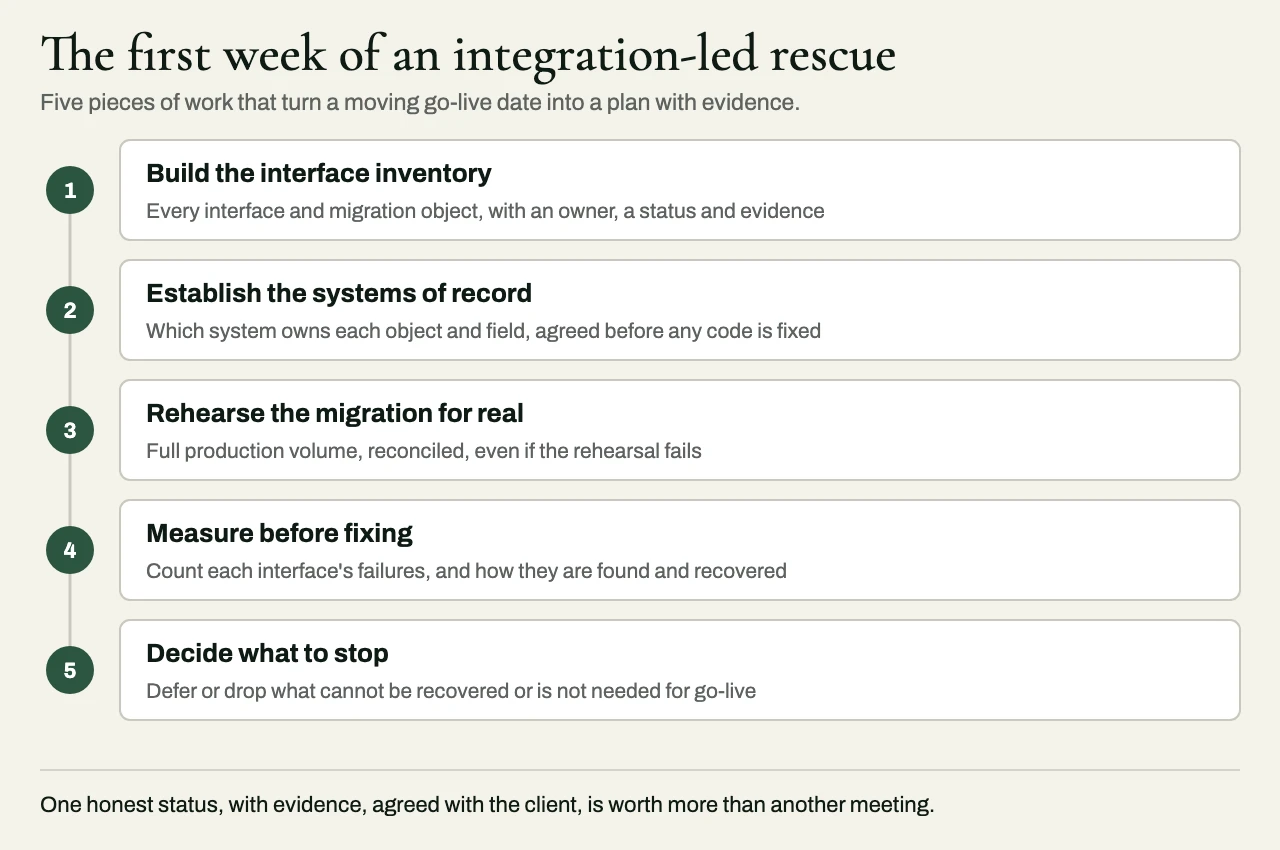
The first week of an integration-led rescue
Build the interface inventory
The most useful thing a rescue team can do in its first week is to build an inventory of every integration and data flow – the source, the target, the direction, the mechanism, the frequency, the volume, the owner, the test status and the evidence from production. On troubled programs, this list often doesn’t exist, or it exists in three versions that disagree with one another, and the work of reconciling them tells you a great deal by itself.
Establish the systems of record
For accounts, contacts, products, prices, orders, invoices and payments, the team has to decide which system owns each object, and, where synchronization runs both ways, which system owns each field. Most of the “sync bugs” found on rescued programs aren’t really bugs at all. They’re what you’d expect to happen when two systems have each been told that they’re the source of truth.
Rehearse the migration for real
If a migration has only been tested with a sample, it hasn’t really been tested. The team should run the full volume, measure how long it takes against the cutover window, and reconcile the result through record counts, financial totals and a sample of records checked by the people who actually use them. The first full rehearsal usually shows what the real plan needs to be.
Measure before fixing
Before changing an interface, the team should count the failures it produces, and find out how those failures get noticed and recovered. If the honest answer is that someone reruns the job by hand, the interface needs idempotent processing, retries and dead-letter handling before anyone adds a single feature to it.
Decide what to stop
Some integrations can’t be recovered in their current form, and some aren’t needed for go-live at all. A rescue team that can’t bring itself to recommend stopping or deferring scope will struggle to rescue anything.
What the recovery plan has to include
A credible recovery plan for an ERP or Salesforce program has specific integration content in it, over and above a set of revised dates. It should lay out a plan for each interface, with acceptance criteria that include reconciliation between the systems involved, and a migration plan with a rehearsed timeline, validation reporting the client can sign off against, and a way to roll back. It needs a cutover plan that says who does what, and in which order, with explicit go and no-go criteria.
The plan also has to deal with operational readiness. Every interface should have monitoring, alerting and a runbook, so that it’s the team that notices the first production failure, and the client doesn’t have to. And the plan should define the end-state conditions that count as “done”, with responsibilities held by both the rescue team and the client.
Who should lead it
The platform partner usually goes on owning the configuration, the advisory relationship and the client, and in most rescues that shouldn’t change. What does change is who owns the integration and data layer. That layer needs someone with the authority to make trade-offs across systems, and the experience to judge which interfaces should be fixed and which should be replaced.
If you’re the platform partner, the rescue can run under your brand, so your client sees your firm arriving with reinforcements, and has no reason to think you’re being replaced.
Related reading
- Software project rescue: warning signs and what a real rescue looks like
- NetSuite Salesforce integration: keeping CRM and ERP in agreement
- How to scope integration work in a statement of work
How eProxim helps
eProxim works on one side of a clear line, and that side is everything outside the platform. We don’t run Salesforce or ERP implementation practices, and we don’t bid against the partners who do. We build and repair whatever connects the platform to the rest of the business – ERP and CRM synchronization, middleware for systems that were never designed to integrate, event-driven interfaces, and data migration with validation reporting.
When a program is at risk, we respond on the same business day, start with a one-day deep dive, and only propose a rescue with specified end-state outcomes. When the situation has called for it, we’ve taken over delivery leadership outright. We did that for a consumer travel portal that had shipped nothing in two years, where we stood up a 125-person offshore team and delivered.
If your client’s program is already going wrong, the useful day to call is today. Take a look at project rescue services, our services for Salesforce partners, or start a partner conversation.